
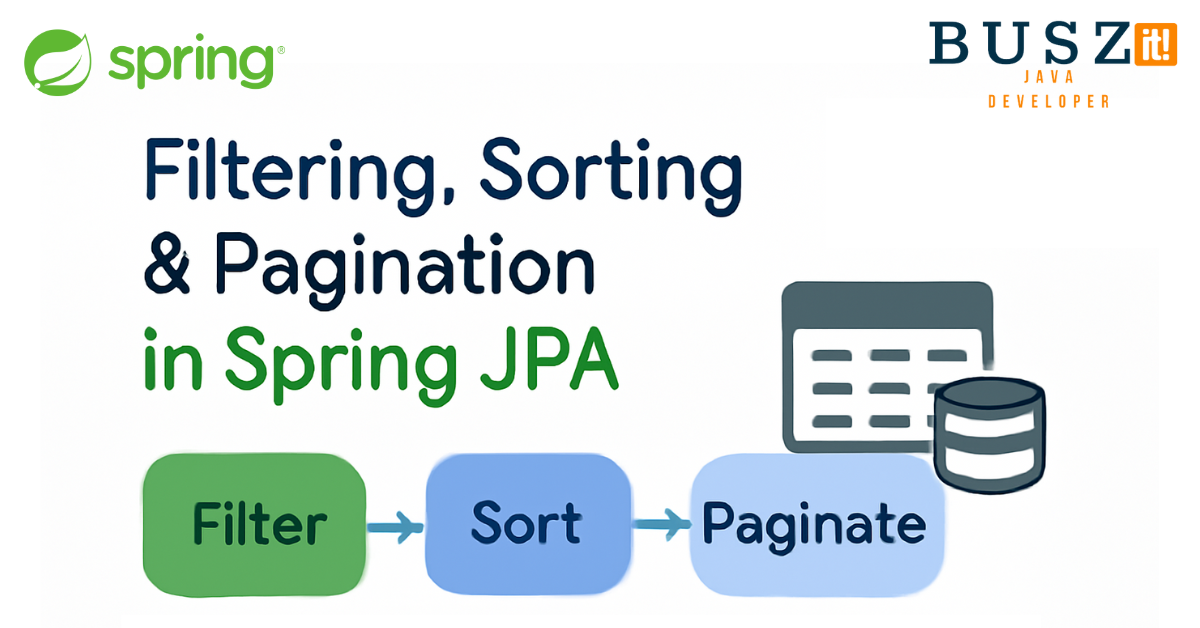
Spring JPA Specification and Pageable – Filtering & Sorting
Spring JPA Specification and Pageable – Filtering, Sorting and Pagination: Complete Developer Guide 2025
Building dynamic, type-safe queries becomes effortless when you harness Spring JPA Specification and Pageable interfaces together.
We’ve all been there – you’re building an API and suddenly the product team wants filtering, sorting, and pagination on every endpoint. “Can we sort by date? Can we filter by status? What about user preferences?” Sounds familiar?
Instead of writing a custom SQL / JPA method for each field (and praying nobody finds a way to inject nasty stuff), let’s build something reusable with Spring JPA Specification and Pageable.
Starting Simple: The Generic Request Structure
First things first, let’s kick things off with a request structure that can handle pagination and filtering without making us write boilerplate for every single entity.
|
1 2 3 4 5 6 7 8 9 10 11 12 13 |
public record GenericSortingRequest<T>( int pageNumber, int pageSize, String sortBy, SortOrder sortOrder, T object ) { public Pageable toPageable() { final Direction direction = sortOrder.toDirection(); final Sort sort = Sort.by(direction, sortBy); return PageRequest.of(pageNumber, pageSize, sort); } } |
What we’ve got here:
- The generic
Tkeeps everything type-safe (no more mysterious casting errors) - That
toPageable()method? It’s a lifesaver when working with Spring Data repositories
Getting Pagination and Sorting Working
Once you have the request structure in place, implementing pagination becomes pretty straightforward. In fact, the implementation is surprisingly simple:
|
1 2 3 4 |
public List<Order> sortWithPagination(GenericSortingRequest<Void> request) { final var pageable = request.toPageable(); return orderRepository.findAll(pageable); } |
As you can see, Spring Data JPA does the heavy lifting here. You simply pass in a Pageable, and boom – pagination and sorting work across any field on your entity. Furthermore, this approach scales beautifully as your application grows.
The Real Deal: Dynamic Filtering with Spring JPA Specification
Now, you might be tempted to build dynamic SQL strings to provide filtering. Please, don’t. Just… don’t. That path leads to SQL injection headaches and late-night debugging sessions. Instead, let’s use Spring JPA Specification – it’s built on the Criteria API, so it’s safe by design.
First, we need to define what operations we support. Additionally, let’s prepare a single filter’s structure and use it in the example request.
|
1 2 3 4 5 6 7 8 9 10 11 12 13 14 15 16 17 18 |
public record GenericFilter<T>( String field, FilterOperator operator, T value ) {} public enum FilterOperator { EQUALS, LESS_THAN, GREATER_THAN, LESS_THAN_EQUALS, GREATER_THAN_EQUALS // You can add more as needed - LIKE, IN, etc. } public record OrderListRequest( List<GenericFilter<?>> filters ) {} |
Nothing too fancy here – just a way to describe “I want field X to be operator Y with value Z.” Nevertheless, this simple structure gives us incredible flexibility.
Building the Generic Spring JPA Specification builder
Here’s where things get interesting. We’ll create a Spring JPA Specification builder that works with any entity. This is where the real power of our approach becomes apparent:
|
1 2 3 4 5 6 7 8 9 10 11 12 13 14 15 16 17 18 19 20 21 22 23 24 25 26 27 28 29 30 31 32 33 34 35 36 37 38 39 40 41 42 43 44 |
public static <T, V> Specification<T> specificationFor(String field, FilterOperator operator, V value) { return (root, criteriaQuery, criteriaBuilder) -> { final Path<Object> expression = root.get(field); final Object mappedValue = valueToType(value, root, field); return switch (operator) { case EQUALS -> criteriaBuilder.equal(expression, value); case LESS_THAN -> predicateFor(expression, mappedValue, criteriaBuilder::lessThan); case LESS_THAN_EQUALS -> predicateFor(expression, mappedValue, criteriaBuilder::lessThanOrEqualTo); case GREATER_THAN -> predicateFor(expression, mappedValue, criteriaBuilder::greaterThan); case GREATER_THAN_EQUALS -> predicateFor(expression, mappedValue, criteriaBuilder::greaterThanOrEqualTo); }; }; } public static <T> Specification<T> findFiltersSpecification(List<GenericFilter<?>> filterList) throws IllegalArgumentException { var resultSpec = Specification.<T>allOf(); for (final var filter : filterList) { final var filterSpec = GenericSpecification.<T, Object>specificationFor(filter.field(), filter.operator(), filter.value()); resultSpec = resultSpec.and(filterSpec); } return resultSpec; } private static <V> Predicate predicateFor(Path<?> path, V value, BasicComparison function) { return switch (value) { case Long l -> function.apply(path.as(Long.class), l); case String s -> function.apply(path.as(String.class), s); case ZonedDateTime t -> function.apply(path.as(ZonedDateTime.class), t); default -> throw new IllegalArgumentException(SpecificationError.INVALID_FILTER_VALUE.getErrorCode()); }; } private static <T, V> Object valueToType(V value, Root<T> root, String fieldName) { final Class<?> type = classForField(root, fieldName); if (type.isAssignableFrom(value.getClass())) { return value; } throw new IllegalArgumentException(SpecificationError.INVALID_FILTER_VALUE.getErrorCode()); } private static <T> Class<?> classForField(Root<T> root, String fieldName) { final Attribute<super T, ?> fieldClass = root.getModel().getAttribute(fieldName); return fieldClass.getJavaType(); } |
The beauty here is that once you write this once, it works for all your entities. No more copy-paste-modify for each new filter requirement. Additionally, the type safety built into this approach saves you from runtime surprises.
Security: Don’t Let Users Break Your App
Here’s something that bit me early in my career – if you let users filter on any field they want, they might access stuff they shouldn’t.
That’s why we need a robust validation system. Here’s what I’ve learned works best in production:
|
1 2 3 4 5 6 7 8 9 10 11 12 13 14 15 16 17 18 19 20 21 22 23 |
public record FieldValidator(Set<String> allowedFields) { public FieldValidator(Class<?> entityClass) { this(Arrays.stream(entityClass.getDeclaredFields()) .filter(field -> !field.isAnnotationPresent(FilterExclude.class)) .map(Field::getName) .collect(Collectors.toSet())); } public void validateFilters(List<GenericFilter> filters) { filters.forEach(filter -> { if (!allowedFields.contains(filter.field())) { throw new IllegalArgumentException(SpecificationError.INVALID_FILTER_FIELD.getErrorCode()); } }); } public void validateSorting(GenericSortingRequest<?> request) { if (!allowedFields.contains(request.sortBy())) { throw new IllegalArgumentException(SpecificationError.INVALID_FILTER_FIELD.getErrorCode()); } } } |
Create the @FilterExclude annotation for fields that should never be filterable. Your security team will love you for it.
Pro tip: You can use a DTO instead of an entity to limit which fields are exposed for filtering, or rename fields in the DTO to prevent the Specification from applying filters to them. This approach adds an extra layer of control and security over your filtering logic.
Things to Keep in Mind
Therefore, here are the key security considerations I’ve learned over the years:
- Whitelist fields: Only allow filtering on fields you explicitly approve
- Cache the validation: Reflection is slow, so do it once at startup
- Layer your security: Always combine user filters with business logic (like user permissions) via AND operator – Specification.allOf()
Putting It All Together
Here’s how this looks in a real service. As a result, you’ll see how all the pieces work together seamlessly:
|
1 2 3 4 5 6 7 8 9 10 11 12 13 14 15 16 17 18 |
GenericResponse<Order> searchFiltering(GenericSortingRequest<OrderListRequest> request, Long userId) { validator.validateSorting(request); validator.validateFilters(request.object().filters()); final var pageable = request.toPageable(); final var spec = getSpecificationForSearch(request.object().filters(), userId); return orderRepo.findAll(spec, pageable); } private Specification<Order> getSpecificationForSearch(List<GenericFilter> filters, Long userId) { final var customSpec = Specification.allOf( OrderSpecification.forUser(userId), OrderSpecification.dateCreatedAfterFiveDaysToNow()); final var filtersSpec = GenericSpecification.<Order>findFiltersSpecification(filters); return Specification.allOf(customSpec, filtersSpec); } |
Why Spring JPA Specification Approach Rocks
After using this pattern in several projects, here’s what I love about it. Furthermore, these benefits compound over time:
- Write once, use everywhere: New entity fields automatically work with filtering
- Safe by default: No SQL injection worries thanks to the Criteria API
- Easy to extend: Need a new operator? Just add it to the enum and switch statement
- Performance-friendly: Works great with database indexes
- Team-friendly: New developers can understand and extend it without deep Spring knowledge
A Few Gotchas I’ve Learned
However, there are some things to watch out for. In particular, these issues can trip you up:
- Watch out for N+1 queries with related entities – use
@EntityGraphwhen needed. - Consider adding a default sort to avoid flaky pagination results.
- Be careful with case sensitivity in string comparisons.
- Test your field validation thoroughly – it’s your main security layer.
- Remember about JpaSpecificationExecutor in your repo, otherwise it won’t work.
- Write integration tests. Don’t just unit test – write integration tests that actually hit your database with various filter combinations.
- Test Edge Cases: What happens with null values? Empty strings? Dates at timezone boundaries? I’ve been burned by all of these.
- Performance Testing: Load test your filtering endpoints with realistic data volumes. That query that works great with 1000 records might crawl with 100,000
Wrapping Up
That’s pretty much it! This setup has saved me countless hours of writing field-specific filtering logic. Once you have it in place, adding new filterable fields becomes a matter of minutes. Here is the repo for this article:
Have you tried something similar? I’d love to hear how you handle dynamic filtering in your Spring apps. Additionally, feel free to reach out if you run into any issues implementing this Spring JPA Specification approach – we’ve all been there, and there’s no shame in asking for help!
Don’t forget to bookmark this guide for future reference, and consider sharing it with your team members who might benefit from implementing these patterns in their own projects.
New to Java and feeling overwhelmed by Spring concepts? Check out my beginner-friendly guide to Java fundamentals that’ll give you the solid foundation you need before diving into advanced Spring features.

A lot of useful information and many practical tips, thanks a lot!